What Should I Check Before Using a Free Plan for Customer-Facing Audio?
A free plan can be a useful way to test voice technology. It can help a team hear how a voice sounds, see whether a conversation feels natural, and uncover awkward moments before investing in a production system. But a successful demo is not the same as permission—or readiness—to serve customers.
Before putting free-plan audio in a mobile app, support line, or other customer-facing channel, check the commercial licensing, usage limits, terms of service, privacy conditions, and failure behavior. Also test the experience as a customer would: interrupt it, change your mind, give an unclear answer, and ask for a person. If the system cannot handle those ordinary moments, a polished voice alone will not make it a good support experience.
Why voice support is changing—and why customers still get frustrated
Traditional interactive voice response (IVR) systems often make callers navigate a rigid menu: “Press one for billing.” Scripted chatbots can create a similar problem in text, repeatedly offering buttons or canned replies that do not match the customer’s actual question. These systems may be useful for simple routing, but they can turn a quick request into a sequence of steps the customer did not ask to take.
The pain is familiar: a caller chooses the wrong menu option, has to start over, or cannot say a short explanation in their own words. A chatbot may insist on a particular phrase, fail to recognize a variation, or send the customer around a loop. The issue is not that menus and scripts are always bad. It is that they are often inflexible at the moment a customer needs them to be flexible.
Interest in conversational AI is part of a broader shift in customer service and voice technology. Gartner and Grand View Research are among the research firms that cover these changing markets. Their market analysis can help teams understand the direction of investment, but market growth is not proof that a specific product is accurate, safe, or suitable for a particular support workflow. Those questions require hands-on testing.
What has changed in AI voice quality and conversation handling?
Modern voice systems can sound smoother than older text-to-speech tools, with more natural pacing, pronunciation, and tone. Speech recognition can also handle more varied phrasing than a fixed voice menu. Combined with a language model, these capabilities can support conversations that are less dependent on exact keywords and prewritten branches.
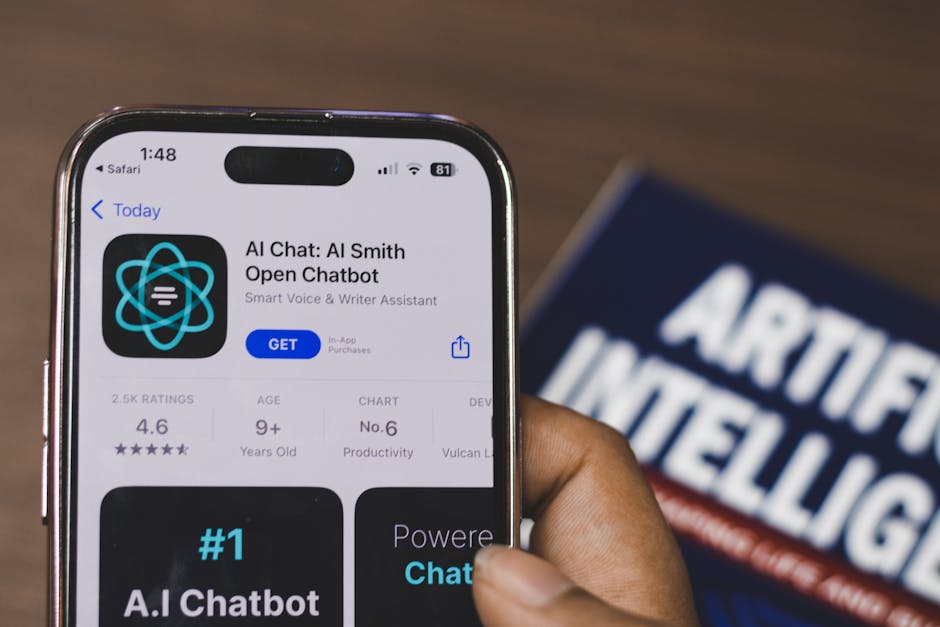
That does not mean an AI voice is a person, or that it will understand every customer. A convincing voice can still mishear a name, misunderstand a request, speak over a caller, or confidently provide an incorrect answer. In customer support, “sounds natural” is not a substitute for being accurate, transparent, and easy to escape.
In my own tests, one revealing moment is to talk over the agent mid-sentence. Does it stop, listen, and respond to the interruption, or does it keep talking as if the customer were not there? Another is to ask for a human in plain language rather than the exact phrase the flow expects. These tests expose problems a prepared demo can hide.
How TTS, ASR, and language models work together
A voice agent commonly combines three kinds of technology. The exact architecture varies by product, but the basic loop is straightforward:
-
Automatic speech recognition (ASR) converts a customer’s speech into text or another machine-readable representation. Background noise, accents, speaking speed, and microphone quality can all affect what it recognizes.
-
A language model interprets the recognized request and helps decide what to say or do next. It may use business instructions, connected knowledge, or approved tools. If those sources are incomplete or the model misunderstands the request, its response can be wrong.
-
Text-to-speech (TTS) turns the response into spoken audio. Voice quality, pronunciation, latency, and the ability to stop playback all shape the customer’s experience.
The components have to work together quickly. A delay between a customer finishing a sentence and the agent responding can make a conversation feel broken, even if each component works well on its own. The system also needs to manage turn-taking: detecting when the customer is done, handling pauses, letting someone interrupt, and recovering when the audio is unclear.
Ask which parts of the conversation are generated, which are retrieved from approved sources, and which actions the agent can take. For example, an agent that can explain a return policy has a different risk profile from one that can issue a refund or change an account. Scope its permissions to the task, and provide a clear route to a person when the agent cannot safely proceed.
Why mobile apps are a natural channel—and what they do not solve
A mobile app can provide context that a phone call from an unknown number cannot. With appropriate permission and authentication, an app may already know which signed-in account is active, what screen the customer is viewing, or which transaction they are asking about. That can reduce the need to repeat information and make support feel more connected to the task at hand.
But app context is not a blank cheque. Customers should understand what information the voice feature can access and why. Confirm whether the feature uses account details, app activity, microphone input, or other data; whether it shares data with service providers; and how long audio, transcripts, and related logs are retained. Check the consent flow and make sure microphone access is requested at a sensible moment—not treated as blanket approval for every use.
Testing on iOS should include real device conditions: a weak connection, background noise, a locked screen, a phone call arriving mid-session, and the customer leaving the app. If you are evaluating the ElevenLabs iOS App, treat it as a way to explore voice capabilities, not as evidence that every use is covered by the same plan, product configuration, or commercial rights. Check the current terms for the specific account and intended use.
What to check before using a free plan
1. Commercial licensing and customer-facing rights
Do not assume that “free” means you can use generated audio in a commercial customer experience. Read the current commercial licensing terms for the exact plan, product, and feature you will use. Check whether the license covers audio created during the free period, live customer interactions, distribution through your app, and the scale or type of business use you have in mind.
Also review rules for voice cloning or voice likenesses if those are relevant. Confirm that you have the necessary consent and rights for any voice you use, and do not imply that a synthetic voice is a real employee. If the terms are unclear, get clarification from the provider or legal counsel before launch rather than relying on a demo or marketing page.
2. Usage limits and what happens when you reach them
Free plans commonly have limits, but the details vary and can change. Look for limits on generation, minutes, characters, requests, concurrency, speed, or available features. Determine whether limits apply per user, account, project, or billing period. Then ask what happens when you reach one: does the feature stop, degrade, require an upgrade, or incur a charge?
Model the expected use of your customer journey, including retries and longer-than-average conversations. A flow that works for a handful of internal testers may exceed its allowance when customers use it. Do not build a critical support path around a free quota without a tested fallback.
3. Terms of service and data handling
Read the terms of service and privacy documentation with the actual audio flow in mind. Check whether prompts, transcripts, recordings, or outputs may be stored or used to improve services; whether settings can change that use; and how deletion requests work. Confirm retention periods, access controls, subprocessors, and any relevant regional processing or data residency options.
Separate what your app collects from what the voice provider receives. If you record calls or retain transcripts, explain that clearly to customers and obtain consent where required. Do not promise that audio is “never stored” unless you have verified the policy and configuration for every part of the system.
4. Reliability, latency, and the path to a person
Test under more than ideal network conditions. Measure the time between a customer speaking and a useful response, and decide what delay is acceptable for your use case. Check how the agent behaves when ASR confidence is low, a service times out, or the language model does not know the answer.
Customers need a predictable way to stop or leave the conversation. Provide a visible, understandable option to contact human support, and make sure it works without forcing the customer to repeat everything. Test https://bizzmarkblog.com/ai-voice-agent-for-billing-questions-what-should-it-do-first/ interruption handling, corrections, silence, background noise, and a change of topic. Note not just whether the system recovers, but whether it tells the customer what is happening.
5. Accuracy, safety, and scope
Choose a narrow task for the first release, such as answering a limited set of product questions or routing a request. Define what the agent must not do. If it provides information about money, health, legal obligations, account access, or other consequential matters, add appropriate review and safeguards rather than treating it as a general-purpose conversation.
Test with realistic examples, including misspellings in names, uncommon phrasing, multiple questions in one turn, and requests outside the supported scope. Track incorrect answers and failed handoffs. A voice that sounds polished can make a wrong answer more persuasive, so escalation and correction behavior matter as much as fluency.
A practical pre-launch checklist
-
Confirm commercial licensing for the exact customer-facing use, product, and generated content.
-
Document usage limits, likely costs at scale, and the behavior when a quota or service limit is reached.
-
Review terms of service, data use, retention, deletion, subprocessors, and consent requirements.
-
Disclose that customers are interacting with AI where appropriate; do not present a synthetic voice as a human employee.
-
Test ASR, TTS, latency, interruptions, corrections, noise, and weak connectivity on real devices.
-
Offer a working human handoff and a non-voice alternative, and verify that customers do not lose important context when switching.
-
Limit the agent’s knowledge and actions to what the workflow can safely support.
-
Set up monitoring for failures, customer complaints, unexpected usage, and changes in provider terms or product capabilities.
Use a free plan to learn, not to skip due diligence
A free plan can lower the cost of experimentation. Use it to compare voices, prototype a narrow flow, and discover where customers may get stuck. It is not, by itself, a license for commercial use, a service-level guarantee, or a privacy review.
The best test is not “Does this sound human?” It is “Can customers understand what it is, get accurate help, interrupt it, correct it, and reach a person when they need one?” Check commercial licensing, usage limits, and terms of service before building around the feature. Then test the experience under the messy conditions of real support—not just reduce cost per call the clean conditions of a product demo.